
Everything Scarlett does. Nothing held back.
Scarlett wasn't built by bolting AI onto old accounting software. Every feature on this page was designed from day one around one idea — managing your finances should feel like a conversation, not a chore.
Scarlett is the interface. Not a feature inside it.
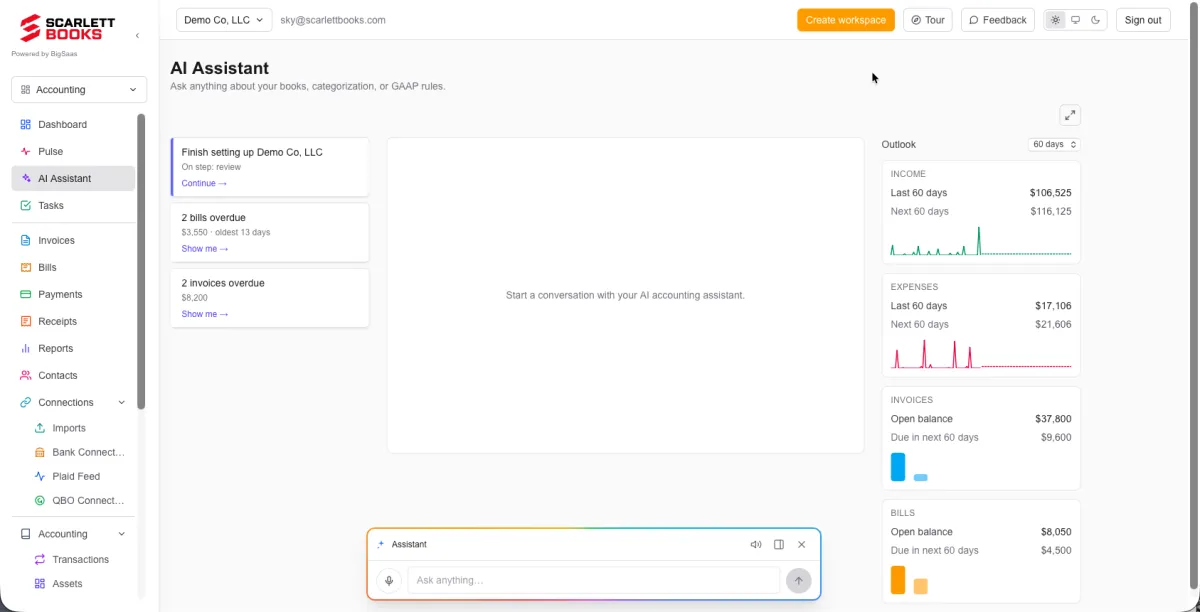
Most software makes you learn where everything lives. Scarlett just asks what you need. The floating chat assistant is available on every page, tell her where to go, what to do, or what you want to know and she handles it.
Ask her to pull up your P&L. Ask her to draft an invoice. Ask her what your biggest expense category was last quarter. She answers in plain English, every time.
Scarlett asks the question before it becomes your problem.
When a transaction needs clarification: a meal that needs a compliance note, a purchase that could fall into multiple categories, anything with tax implications, Scarlett reaches out and asks the right question in real time.
You answer when it's convenient. She files it correctly. No login required. No cleanup later. No more end-of-quarter scramble trying to remember what that dinner was for.
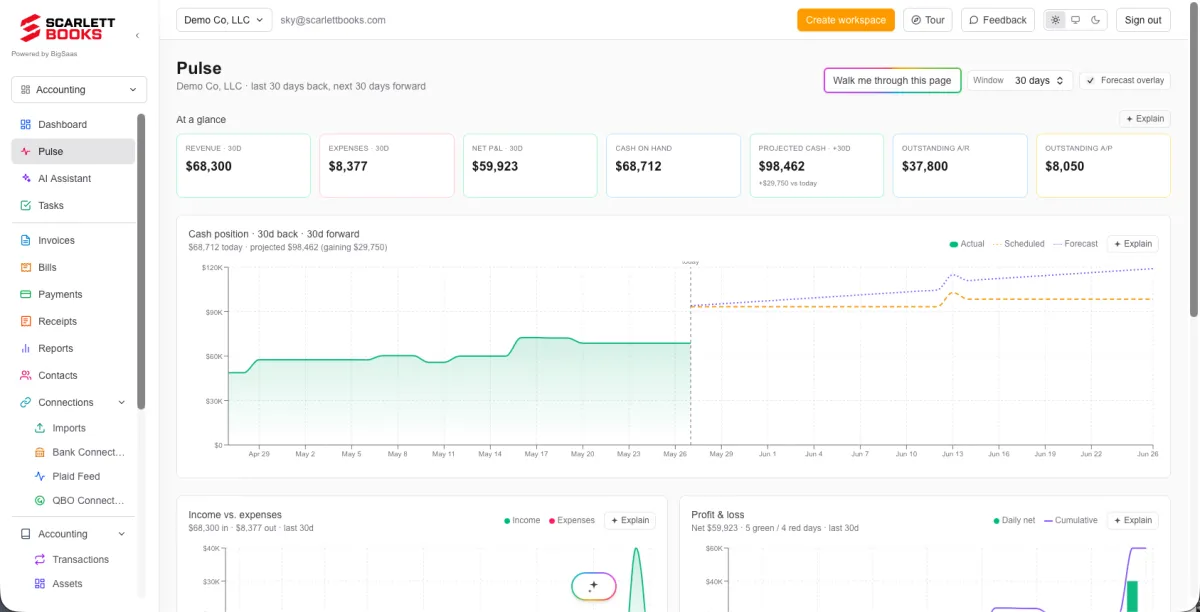
One page. Every number that matters. Right now.
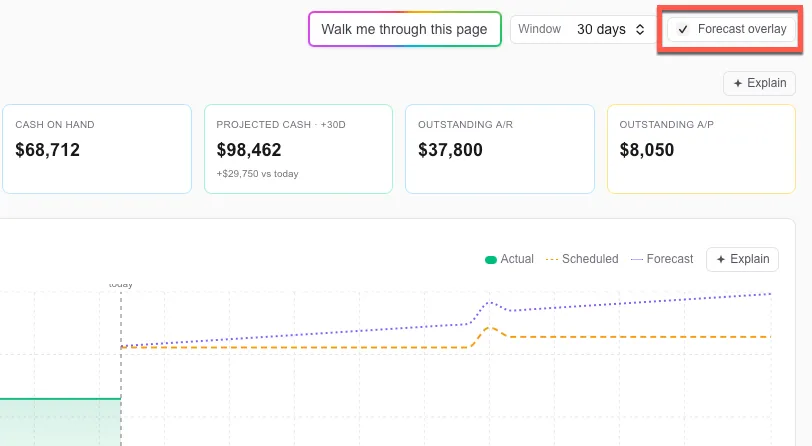
The Pulse page is your financial dashboard — cash position, daily P&L, projected cash flow, AR and AP aging, and top spending categories. All live, all in one place. Not a report you run at month-end. A view that's always current.
Gets it right automatically. Gets smarter when you correct it.
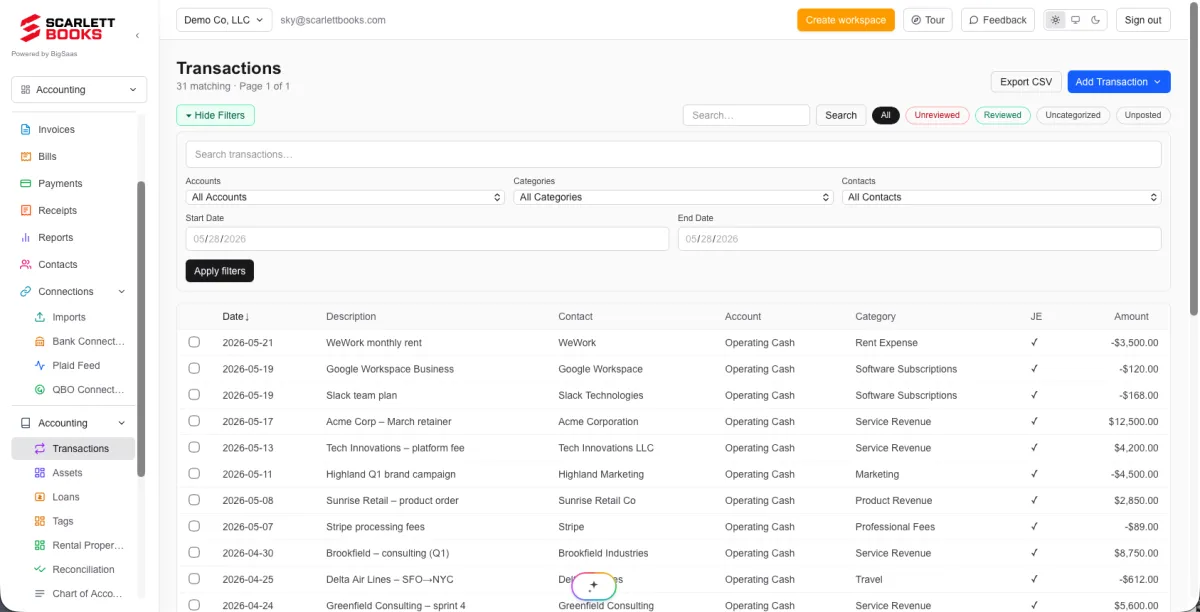
Scarlett categorizes every transaction the moment it comes in. No manual entry, no end-of-month cleanup. She knows the difference between a business meal and office supplies, and she asks when she isn't sure.
Override a categorization once and she remembers. The more you use Scarlett, the more accurate she gets, without any extra effort on your part.
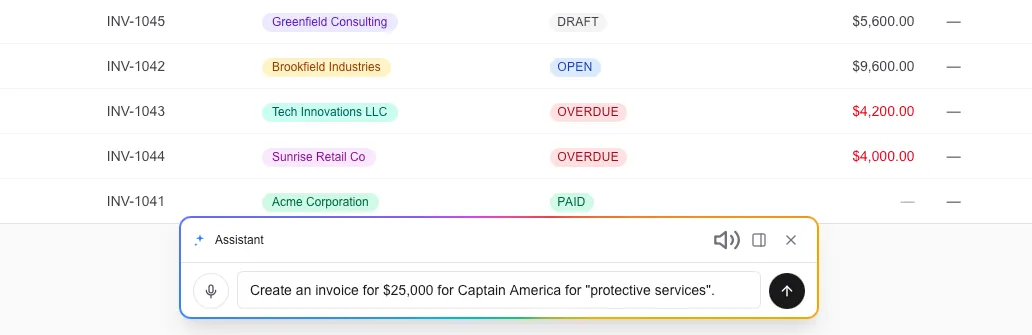
Describe it. Scarlett builds it.
Tell Scarlett who the invoice is for, what it's for, and how much, and she drafts it instantly. No forms. No field-by-field entry. Just a plain-English description and a ready-to-send invoice.
Review it, confirm it, and Scarlett posts the journal entry automatically. The whole thing takes about 10 seconds.
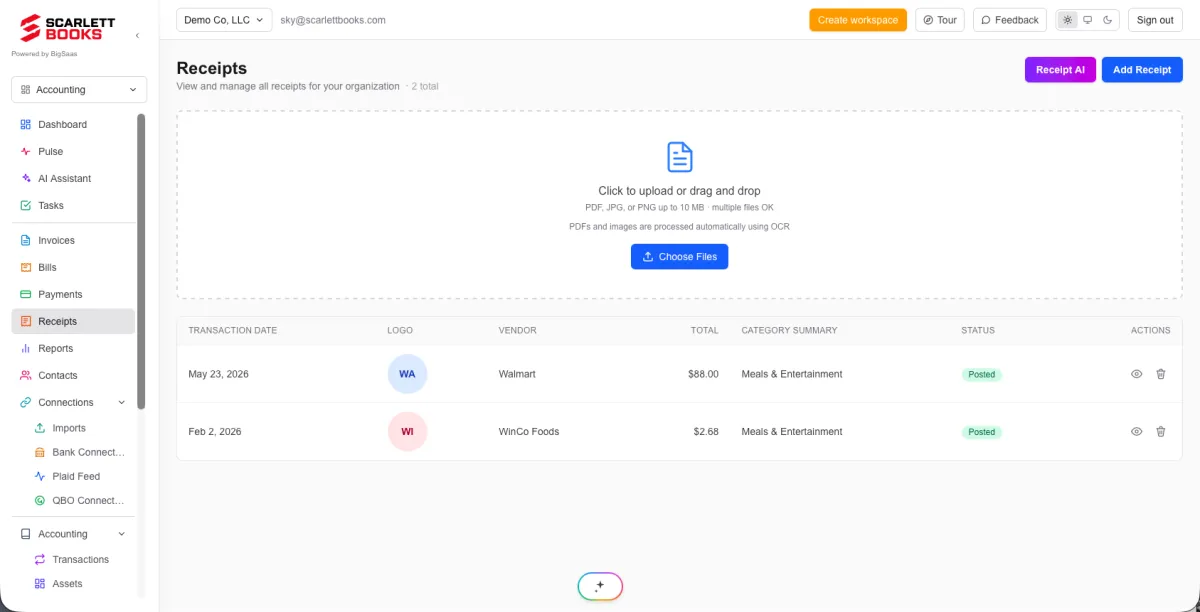
Drop in a receipt. Scarlett handles the rest.
Upload a receipt and Scarlett reads it, vendor, amount, date, and matches it to the corresponding bank transaction automatically. No manual entry. No spreadsheet. No hunting through transactions to find the match.
Receipts are stored, matched, and attached to the right transaction. Your records stay clean without you doing anything more than hitting upload.
No CSV. No formatting. Just drag it in.
Most accounting software makes you export a CSV from your bank, format it correctly, and hope the import doesn't break. Scarlett accepts PDF bank statements directly.
Drag in a three-month statement from your bank. Scarlett reads every line, categorizes each transaction, and flags anything that needs your input. Done. No reformatting. No broken uploads.
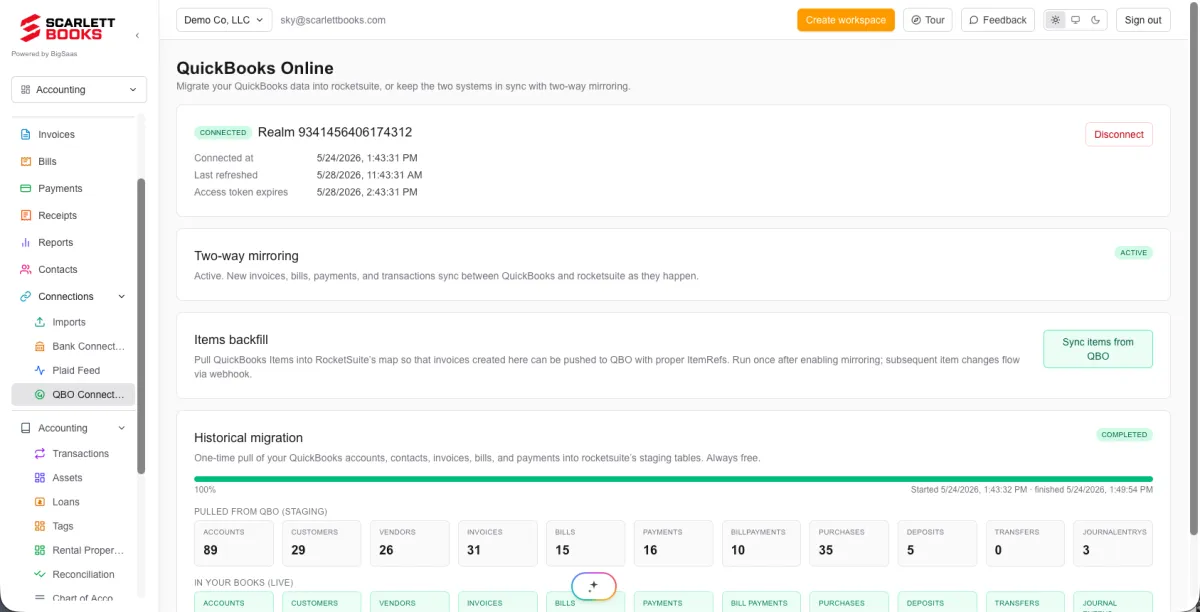
Already on QuickBooks? You don't have to choose.
Import everything from QuickBooks in one click — your chart of accounts, historical transactions, outstanding invoices, all of it. Or run Scarlett alongside QuickBooks while you get comfortable. Anything you do in Scarlett mirrors to QuickBooks, and vice versa.
Switch fully when you're ready. Or don't. Either way your books stay current in both systems without any double entry.
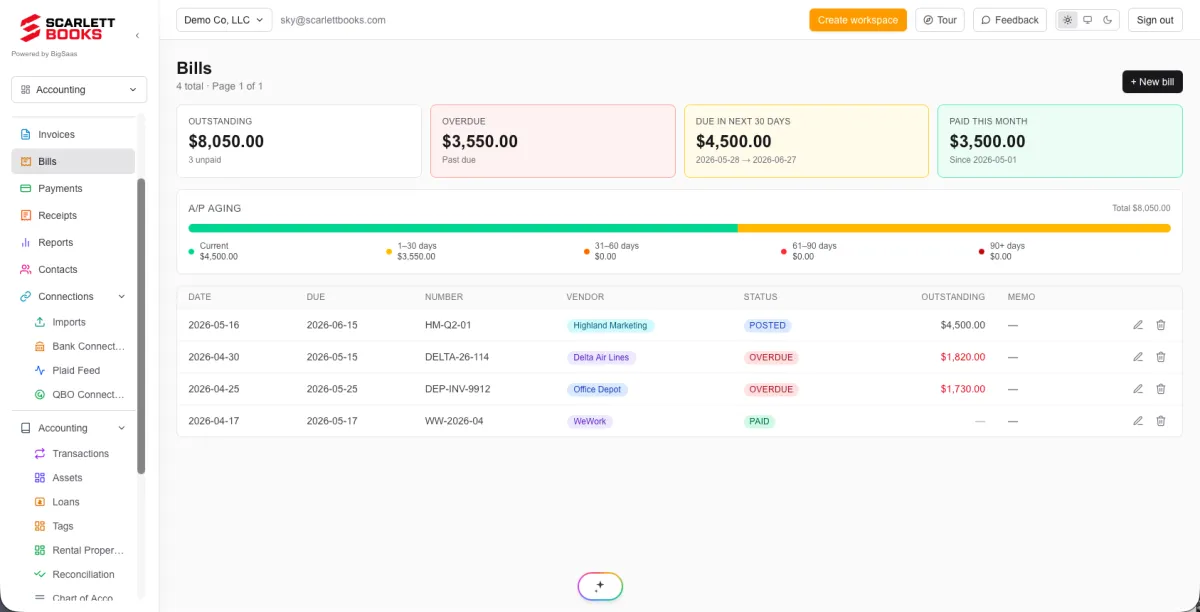
Know what you owe and when, before it's overdue.
Scarlett tracks every outstanding bill: vendor, amount, due date, and aging. No more missed payments. No more scrambling to figure out what's due this week.
Bills are visible on your Pulse page alongside your AR so you always have a complete picture of your cash obligations, what's coming in and what's going out.
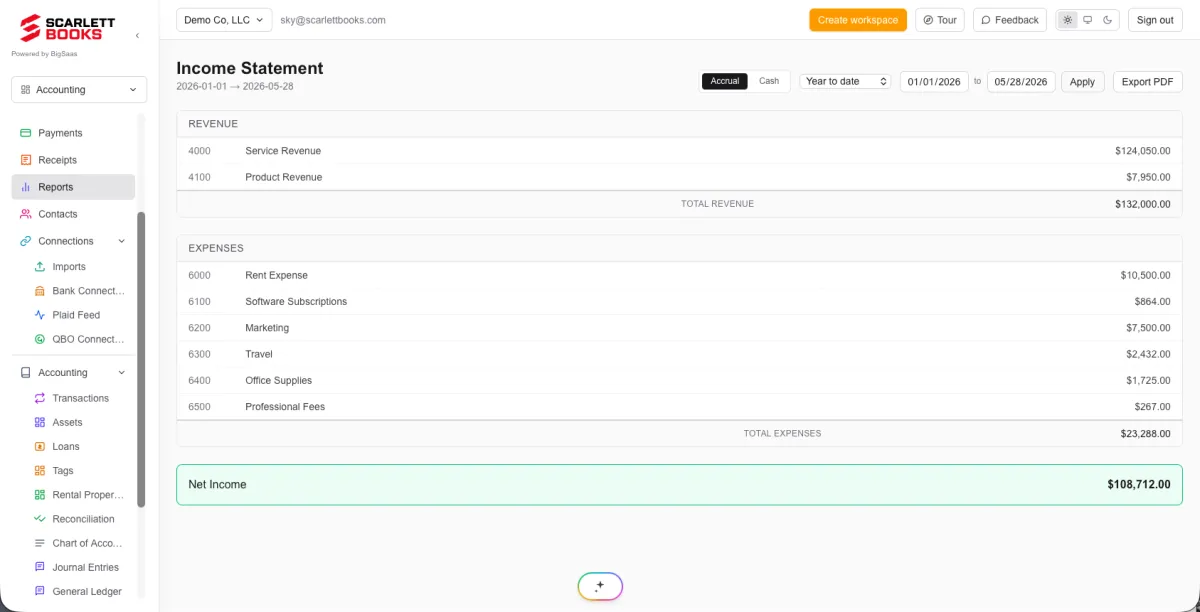
Toggle between cash and accrual in one click.
Cash basis or accrual basis, Scarlett supports both and lets you switch between them instantly. View your financials the way your accountant needs them, or the way that makes most sense for how you run your business.
No reconfiguration. No duplicate data entry. Just flip the toggle and your reports update immediately.
See where your cash is going, before it gets there.
Most accounting tools show you where your money went. Scarlett shows you where it's going. The cash flow projection uses your current books, outstanding invoices, and upcoming bills to give you a forward-looking view of your cash position.
Know before you commit to a new expense whether the cash will be there. Make decisions based on where you're headed, not just where you've been.
Every feature. One price. No surprises.
$75 per organization per month. Everything on this page included. Up and running in minutes.
Privacy Policy
Terms of Service
© 2026 ScarlettBooks